
WARNING: The upgrade process will affect all files and folders included in the main /vfm-admin/ directory, excluding the file config.php and the sub-directory /_content/. If you have made any modifications to those files, your changes will be lost.
There are two methods for updating – the easiest is the one-click update, introduced starting from version 4.4.1 which will work for most people. Insert your purchase code to enable it. If it doesn’t work, or you just prefer to be more hands-on, you can follow the manual upgrade process.
Before you get started, it’s a good idea to back up your /vfm-admin/ folder. This means if there are any issues you can restore your file manager.
This method is valid to update from any version
/vfm-admin/ foldervfm-admin on your web host (through your FTP or shell access). Do NOT delete your existing /_content/ folder.vfm-admin folder to your existing vfm-admin folder, except for the _content directory.vfm-admin folder to your existing vfm-admin folder, overwriting existing files. Do NOT delete your file config.phpUpdate your General settings and Appearance from the administration panel after files replacement
NOTE – Remember to replace also the main index.php inside the root directory.
If you have any custom translation, follow the translation update procedure, otherwise replace all the vfm-admin/translations/ folder
Do NOT replace folders marked in red
Replace any other file and folder

just replace the corresponding .php files inside of
vfm-admin/translations//vfm-admin/users/ has been moved inside of /vfm-admin/_content/.login-disclaimer.html, privacy-info.html, registration-disclaimer.html have been moved inside of /vfm-admin/_content/._login-disclaimer.html, _privacy-info.html, _registration-disclaimer.html prior to version 4.0.0 you should rewrite your custom policies inside the new files provided, and rename them without the initial _underscore, as usual./vfm-admin/_content/skins/ folder in favor of the new color customizer. If you have any css skin prior to version 4.0.0 you will have to set your custom colors under Administration > Appearance./vfm-admin/_content/template/style.cssIMPORTANT NOTE Upgrading from a version prior to 3.4.4:
Since version 3.4.4 all the app customisations have been moved inside the new folder /vfm-admin/_content/
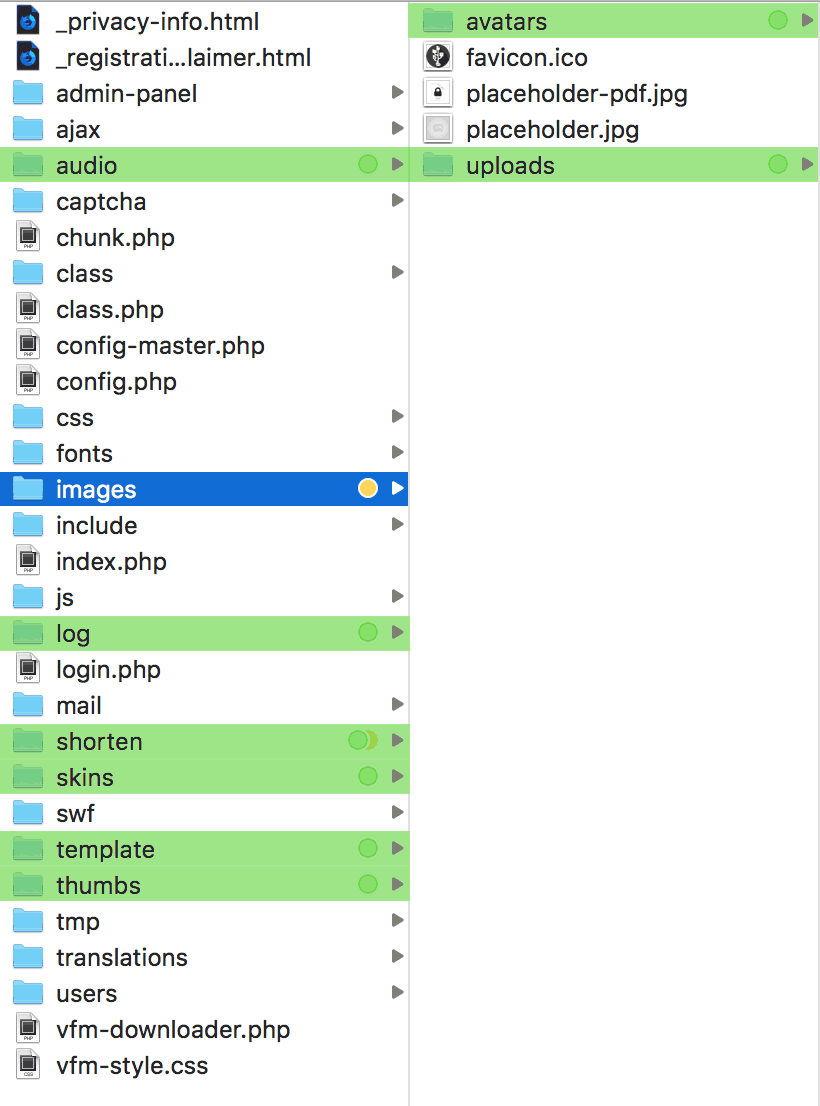
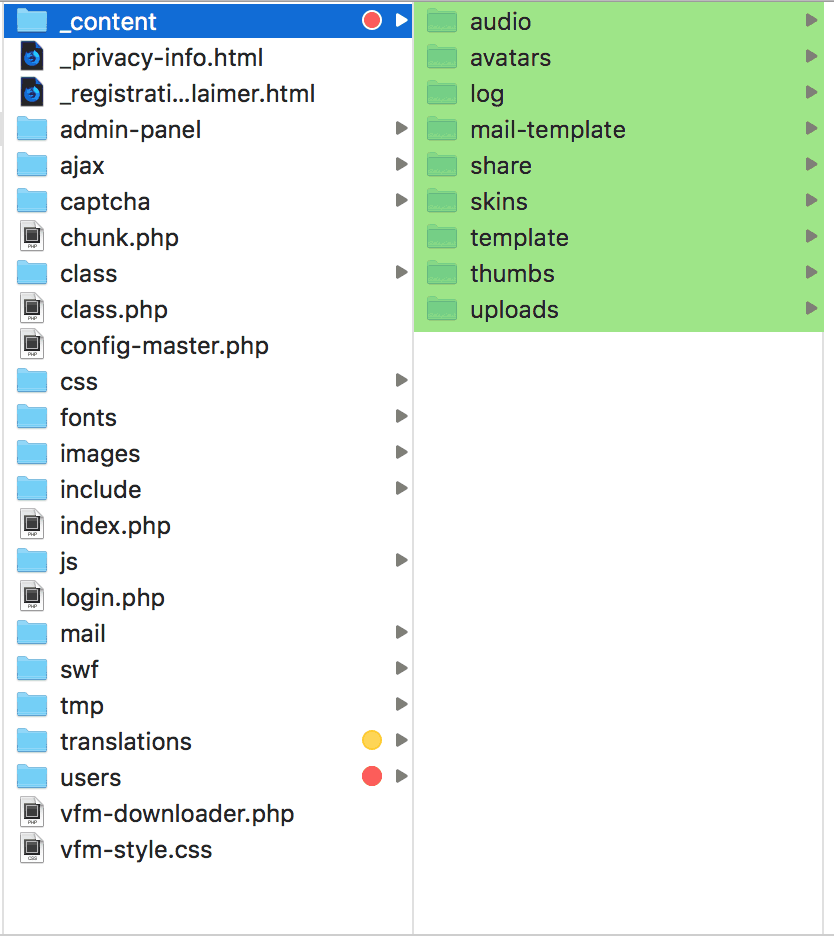
NOTE: Upgrading from a version prior to 2.7.0
Upload the file utilities/_unsensitive-users.php inside /vfm-admin/. It will run ony once to update the usernames to case-insensitive.
Login to the administration area after the script's upgrade, and save again your settings.
If you have some duplicated usernames, like "JohnDoe", "johndoe" and "johnDoe", they will become "JohnDoe" johndoe1" and "johnDoe2".
Every user will be notified with an alert after his next login if his username has changed.
From version 1.x to version 2.x move the following files:
vfm-admin/remember.php to vfm-admin/users/remember.phpvfm-admin/token.php to vfm-admin/users/token.phpvfm-admin/users.php to vfm-admin/users/users.php